
Customer Library and Secure Product Delivery
Customer Library and Product Access
Customers can access downloads, serials, subscription status, bundle products, renewal details, payment recovery, scheduled changes, plan management, and product updates from one account experience.
One place for owned products
The customer library connects purchases and entitlements to supported downloads, serial information, device access, subscriptions, and support. A customer can own a product without being a marketing subscriber.
Support with the actual access context
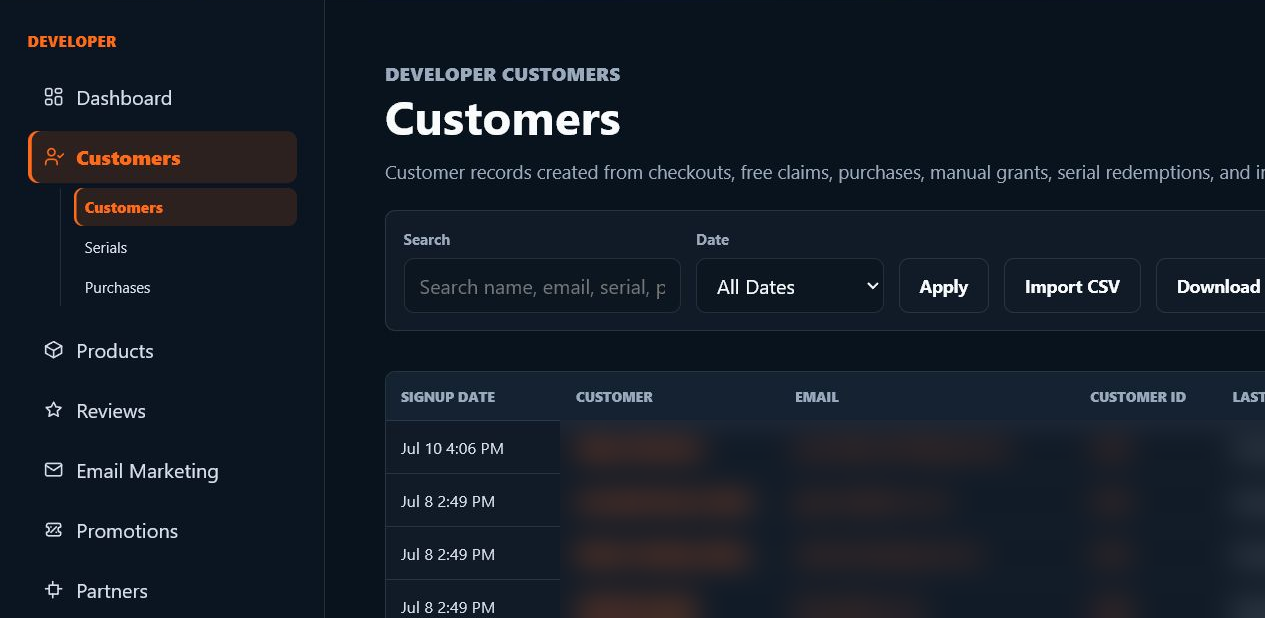
Developers can search their scoped customer records, inspect purchases and serials, review device activations, resend verification, and use permitted import/export workflows. Portal visibility, device deactivation, access removal, and refunds have different effects.
Access inside and outside the plugin
Hosted and embedded account surfaces and supported HISE/JUCE My Products integrations connect to the same ownership model. A browsing session and an audio license are separate; each must use the correct authentication path.
SoundSync
Customer documentation
SoundSync
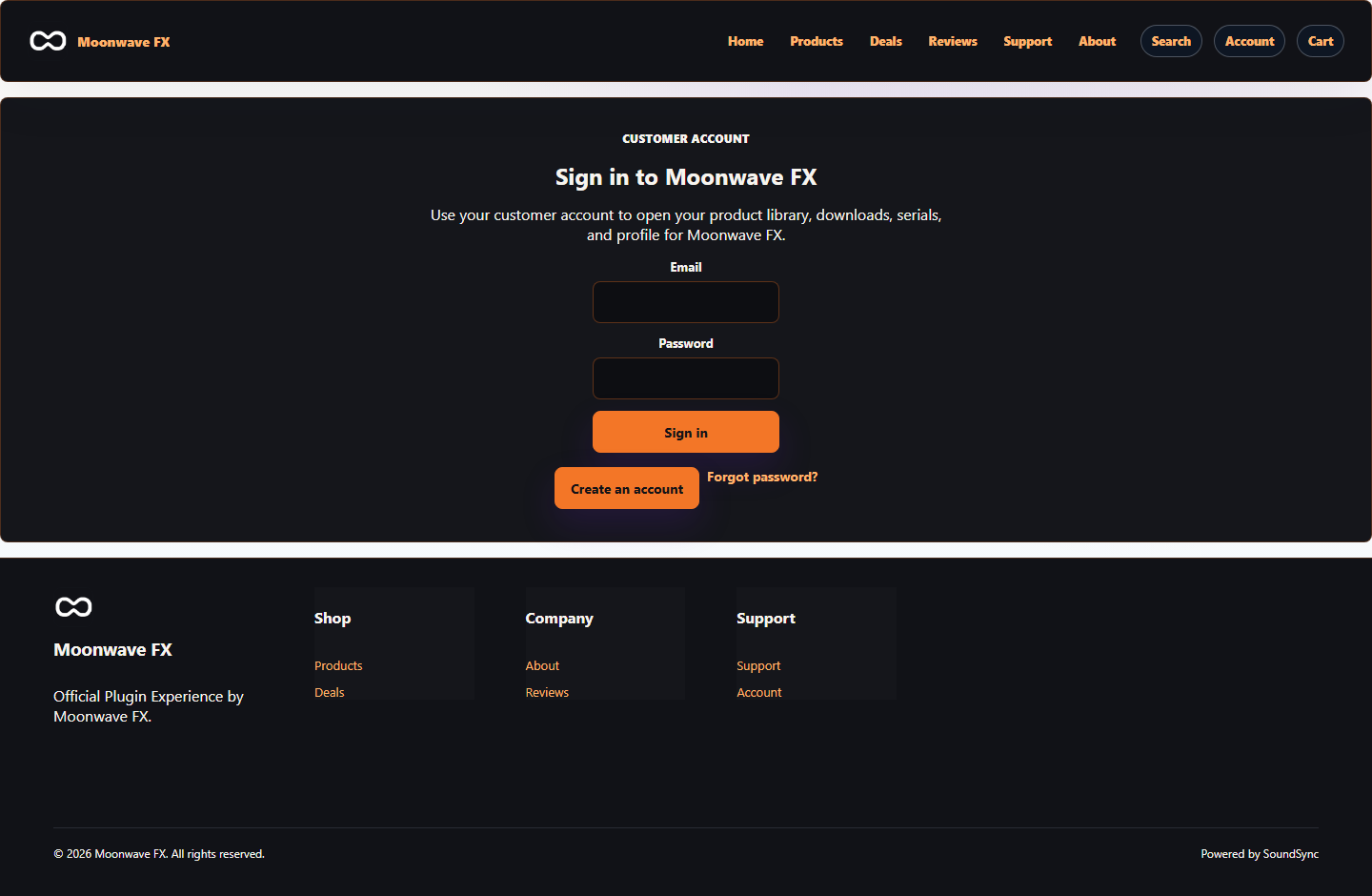
The web account is the customer home base
The storefront account screen gives customers one branded entry point for opening their product library, downloads, serials, and profile details.
SoundSync
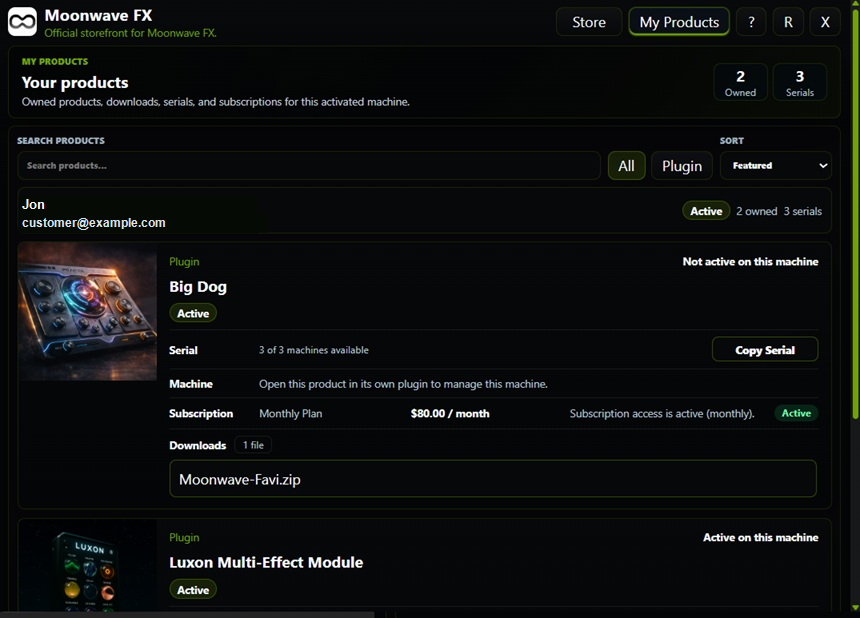
HISE My Products brings ownership into the plugin
HISE customers can see owned products, downloads, serial counts, subscription state, and machine context without leaving the product experience.
SoundSync
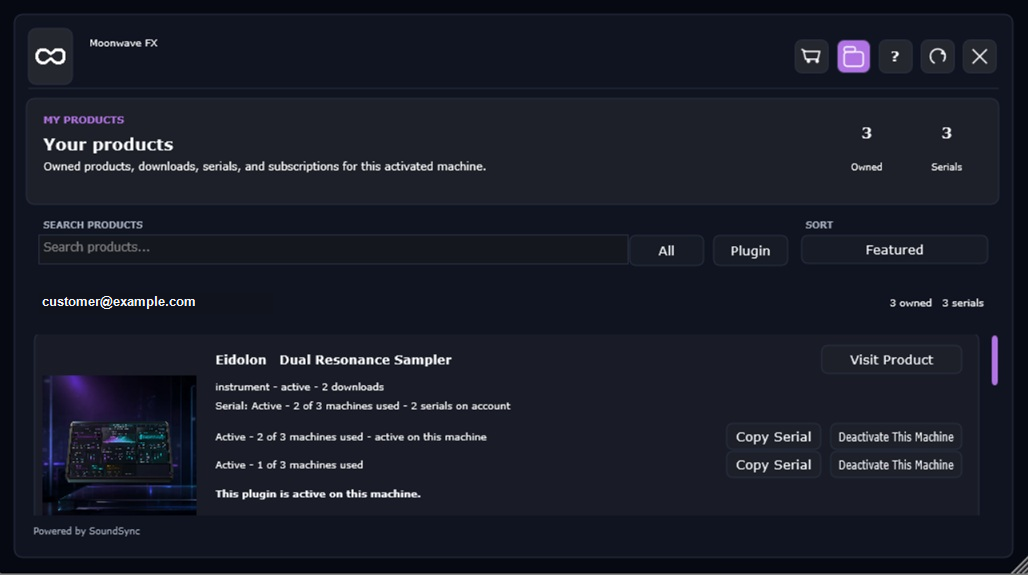
JUCE My Products carries the same ownership model
The JUCE customer screen shows logged-in ownership, serial state, and device deactivation actions inside the native package UI.
SoundSync
Inside SoundSync