Email Marketing for Audio Software Developers
Campaigns, growth flows, audiences, analytics, and consent in one workspace.
Create launch emails, product updates, promotion campaigns, automated growth flows, test sends, schedules, reports, and branded sender settings while honoring consent, suppression, unsubscribe, and platform audience rules.
SoundSync
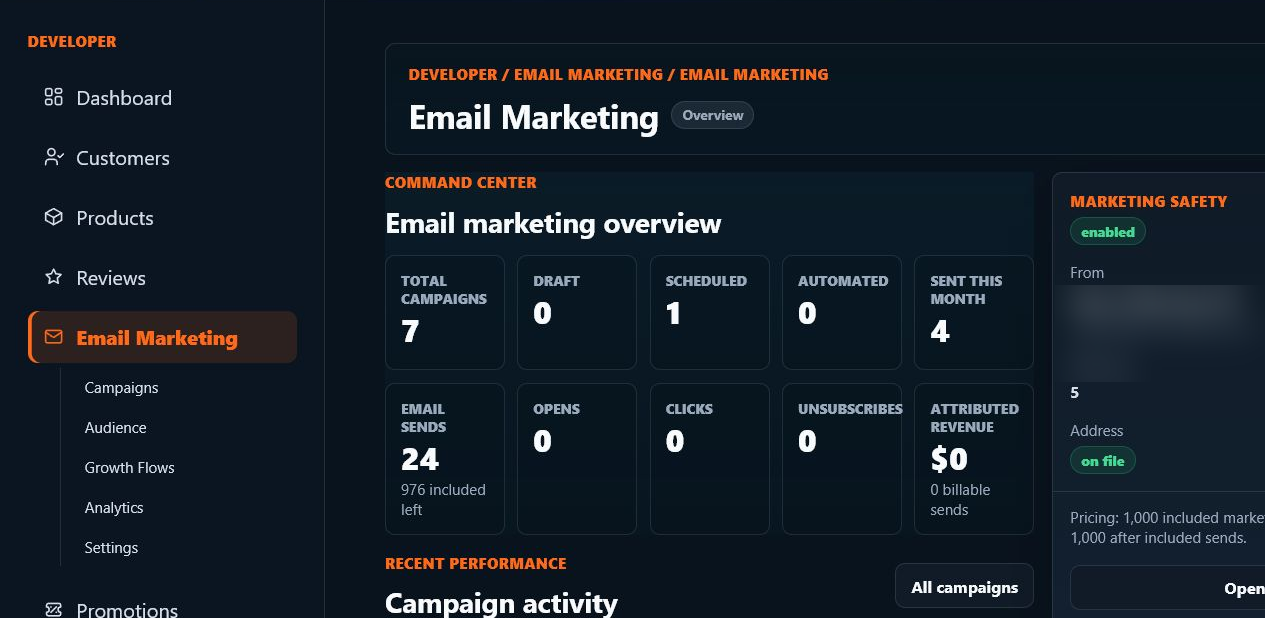
Email marketing dashboard
The email workspace shows campaign totals, draft/scheduled/sent state, audience context, reports, and recent performance from the developer dashboard.
SoundSync
Campaigns
Campaign work is deliberate and reviewable from draft through report.
Campaign creation
Create campaign drafts for launches, updates, deals, product news, customer education, and re-engagement.
Draft and edit
Manage subject, preview text, body content, audience, links, product context, and send state before scheduling.
Test sends
Send tests to verify layout, copy, links, brand identity, unsubscribe behavior, and sender configuration.
Schedule or send now
Schedule campaigns for later or send now when settings, provider state, and audience eligibility allow it.
Reports
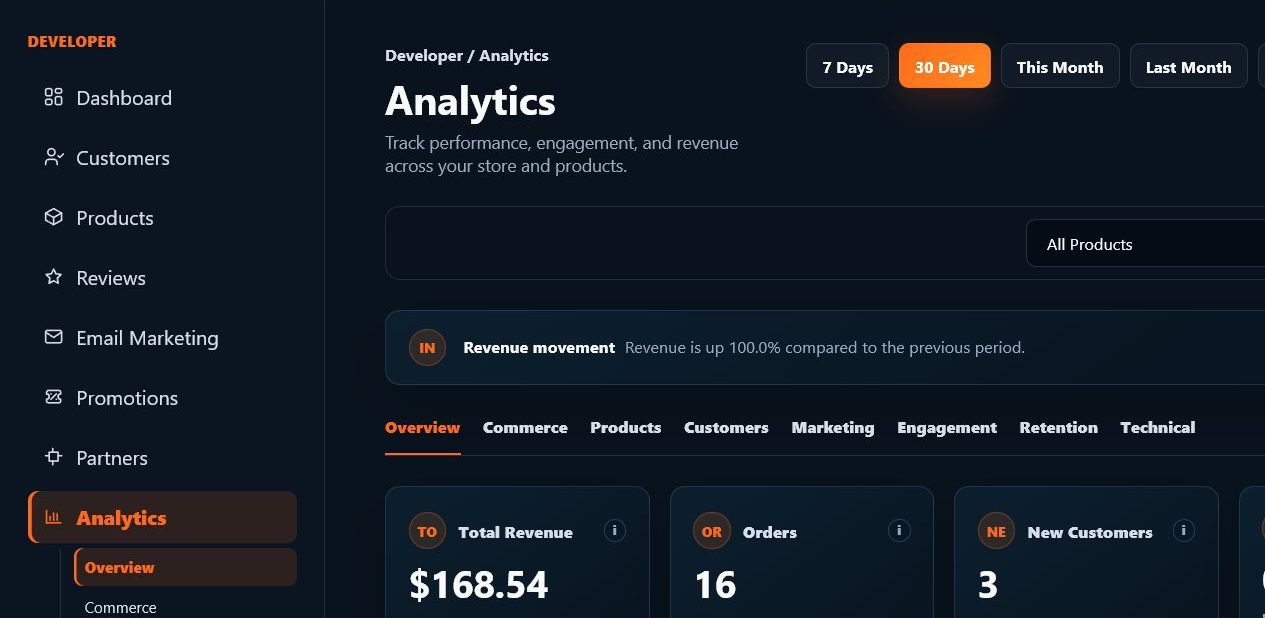
Review sent count, opens, clicks, unsubscribes, usage, attributed revenue where available, and campaign activity.
SoundSync
Audience and consent
Marketing contact is developer-scoped and governed by consent and suppression rules.
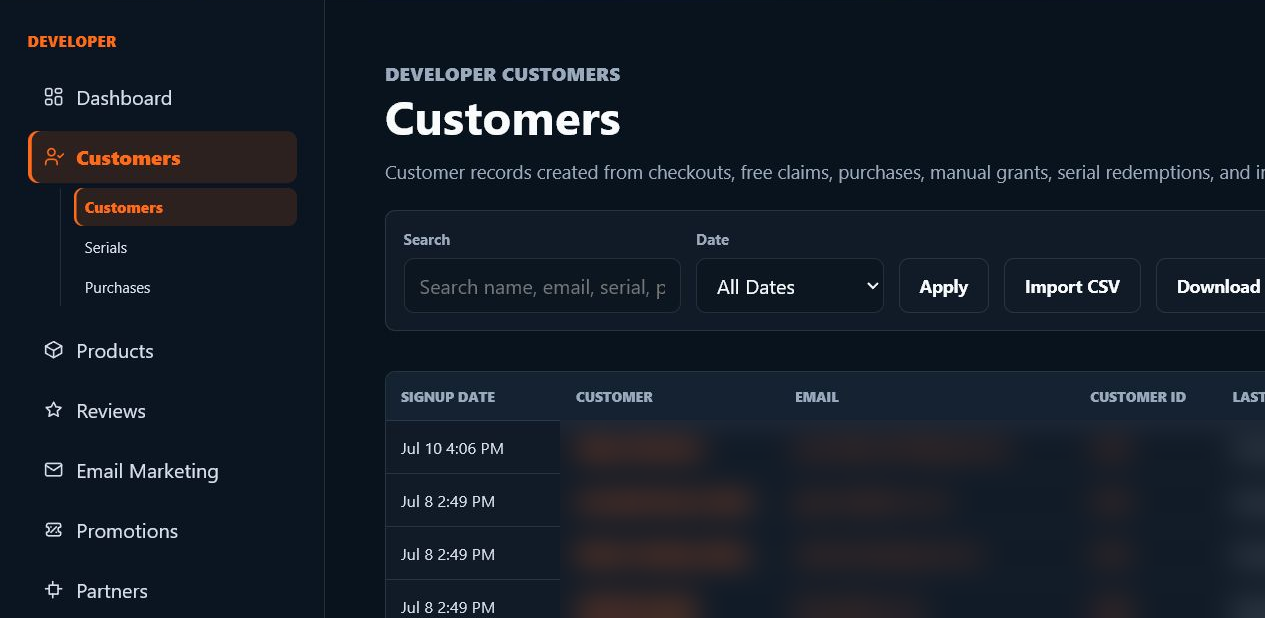
Developer contacts
Contacts can come from developer imports, customer/purchaser audiences where applicable, product context, storefront activity, and campaign history.
Imports and lists
CSV/import workflows should validate rows, consent source, duplicate handling, suppression state, and required fields before use.
Purchaser audiences
Customer audiences can be selected only where platform rules, consent, and account state allow marketing use.
Suppressions
Bounces, complaints, unsubscribes, manual suppressions, provider suppression state, and ineligible recipients are filtered out before sending.
Unsubscribe
Public unsubscribe links and campaign suppression state keep customers from receiving marketing they opted out of.
SoundSync
Growth flows and automation
Automations are tools for product-aware follow-up, not uncontrolled sending.
Triggered workflows
Launch updates, scheduled-deal drafts, customer follow-up, product announcements, and retention flows can be tied to product or promotion context.
Queue visibility
Queued, sent, skipped, suppressed, failed, and provider-delivered events should remain visible in activity/reporting surfaces.
Suppression rules
Automation must respect the same consent, unsubscribe, bounce, complaint, and platform audience rules as manual campaigns.
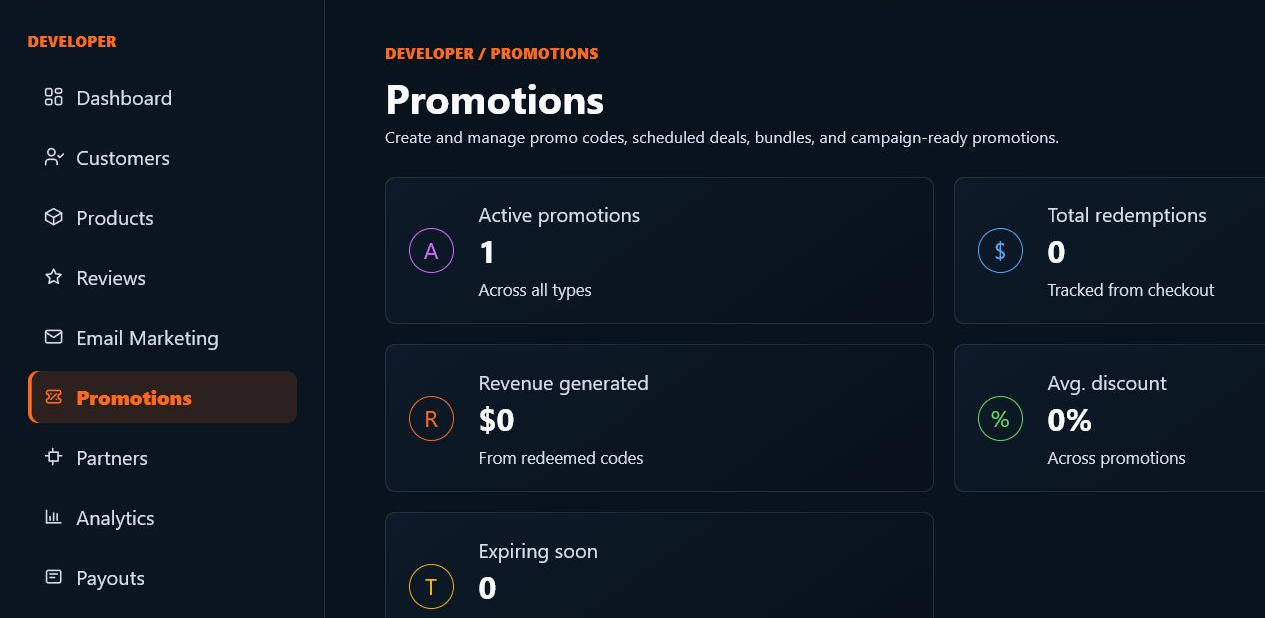
Promotion support
Scheduled deals can help create campaign drafts and storefront sale presentation without promising campaign performance.
SoundSync
Settings that matter
Email settings control whether campaigns are safe to send and recognizable to customers.
Sender identity
Store name, reply-to email, support email, sending domain, and branded tracking links help customers recognize the sender.
Sending domain
SPF, DKIM, DMARC, verification, and tracking DNS records authenticate branded sending.
Usage pricing
Developer accounts include 1,000 marketing emails per month, then additional accepted marketing sends are $1.00 per 1,000. Transactional email is separate.
AI assistance
AI can help draft, rewrite, suggest subject lines, create preview text, and support promotion planning. It does not autonomously send campaigns.
Platform audience boundary
Developers do not receive unrestricted use of the platform-wide audience. Marketplace ecosystem reach, purchaser audiences, imports, and campaign sends are governed by consent, suppression, eligibility, and platform rules.
Turn launches and updates into measurable customer communication.
Use email with promotions, marketplace, storefront, and analytics so customer outreach stays tied to product ownership.
SoundSync
Product proof
Screenshots and diagrams are placed near the workflows they explain, so visitors see the actual SoundSync surfaces instead of abstract feature claims.
Questions developers ask
Is SoundSync only for plugins?
No. SoundSync supports plugins, instruments, sample libraries, digital downloads, subscriptions, and custom audio tools.
Can I use my own site?
Yes. You can use hosted storefronts, embedded storefronts, standalone embeds, and custom domains depending on the surface you choose.
Does marketplace attribution add another fee?
No. SoundSync uses one 10% fee on SoundSync-processed sales, including marketplace-attributed sales.
Campaigns, growth flows, audiences, analytics, and consent in one workspace. belongs in one connected launch system.
Move from setup to customer access, growth, trust, and operations without rebuilding the business around disconnected services.