Branding guide
HISE Branding
Generated brand values and supported runtime branding are not the same update mechanism.
Prepare the source brand
Set your developer/store display name, product imagery, light and dark logos, and palette in Brand Manager before generation. The selected package carries product-scoped configuration and branding assets.
HISEScript can load the configured logo or use the bundled DeveloperLogo.png; initials provide a fallback. Keep logo URLs valid and check contrast in the actual activation view.
Know when to regenerate
Generated configuration and bundled branding remain snapshots until you regenerate and ship the updated package. Where the runtime retrieves branding, only fields supported by that path can change dynamically. A website palette edit is not a guarantee that every installed binary changes immediately.
Support links
The generated HISEScript support controls use the central SoundSync support workflow. Branded storefront support articles and contact forms are configured separately; do not assume changing a developer support email rewrites every package button.
SoundSync
Branded activation
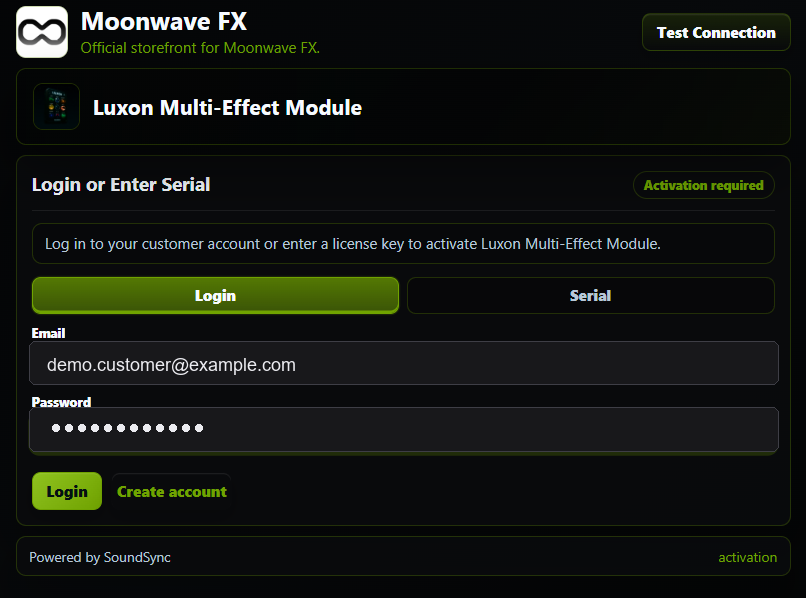
The activation capture shows store identity, product identity, product imagery, support access, color treatment, and powered-by attribution in the HISE surface.