
Skip to content
SoundSyncAudio software platform

Customer workflow

Customer Activation

The customer-facing activation journey from login or serial entry through verification, entitlement check, device activation, and unlocked access.

SoundSync HISE package panel showing REST API integration status, package download, config copy, and setup docs.
HISE plugin activation screen with branded login and serial activation options.
HISE My Products view with sanitized customer identity, owned products, serial counts, downloads, subscriptions, and machine state.

SoundSync

HISE visual sequence

Package setup, activation, verification, unlocked access, Store, My Products, and device controls are shown in a consistent product flow.

SoundSync HISE package panel showing REST API integration status, package download, config copy, and setup docs.
HISE plugin activation screen with branded login and serial activation options.
HISE plugin serial activation screen with product branding, serial field, and customer email field.
SoundSync email verification message for serial activation with demo customer wording.
SoundSync serial activation verification success page for a demo product.
HISE plugin unlocked state after activation with product interface visible.
HISE in-plugin Store catalog showing product cards, categories, pricing, and cart access.
HISE in-plugin Store product detail page with pricing, license, format, and support information.
HISE My Products view with sanitized customer identity, owned products, serial counts, downloads, subscriptions, and machine state.
HISE plugin state showing customer login or serial activation after device deactivation.

SoundSync

Customer activation lifecycle

Activation connects customer identity, product ownership, and machine access.

  1. Open plugin

    The plugin shows branded activation when access is not yet available on the machine.

  2. Choose login or serial

    Customer signs in with an account or enters a license key and email.

  3. Verify claim if needed

    Serial-based flows can use email verification before access is finalized.

  4. Check entitlement

    SoundSync checks ownership, active subscription state where applicable, revocation, and product scope.

  5. Register machine

    The activation records device use according to the product activation limit.

  6. Unlock plugin

    The plugin transitions to the product interface when access is allowed.

SoundSync

Verification success

The supplied confirmation capture shows the successful email verification step for a demo product.
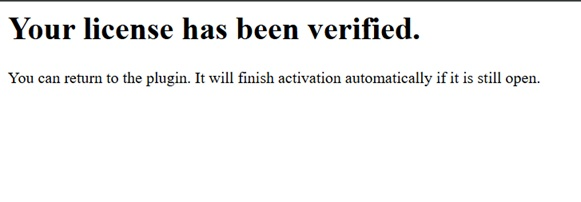
SoundSync serial activation verification success page for a demo product.
HISE email verification success