Troubleshooting guide
HISE Troubleshooting
Diagnose package installation, owner proof, device state, and native build enforcement.
SoundSync
Start with the symptom
| Symptom | Check next |
|---|---|
| Runtime file not found | Scripts/SoundSync path, correct variant, and main interface include |
| SoundSyncNative.initialize unavailable | Source patch verification, rebuilt HISE executable, and native sources |
| Test Connection passes but plugin locks | Customer entitlement, activation mode, machine limit, and runtime access state |
| Serial owner mismatch | Use the owning customer identity; do not collect another owner's email or bypass proof |
| CUSTOMER_ACCOUNT_EXISTS | Login or reset the existing account rather than claim as a new customer |
| Activation limit reached | Review active devices and deactivate an old device through supported controls |
| Offline state locks | Prior valid state, grace expiry, selected variant, and whether the server already denied access |
| Authoring view works; export does not | Exported native patch/build, relative assets, processor protection, and host-specific release tests |
| Store opens but My Products is unauthenticated | Customer library session/token path, not a developer token |
Send useful, safe support context
Include package variant/version, product ID, HISE version, OS, host/format, the operation, error code, and reproduction steps. Redact credentials, serials, last names, private email addresses, tokens, and customer data from logs and screenshots.
Do not retry ownership errors by silently changing identity. A retry is appropriate for a transient network failure, not permission to ignore a confirmed access rejection.
SoundSync
Activation recovery
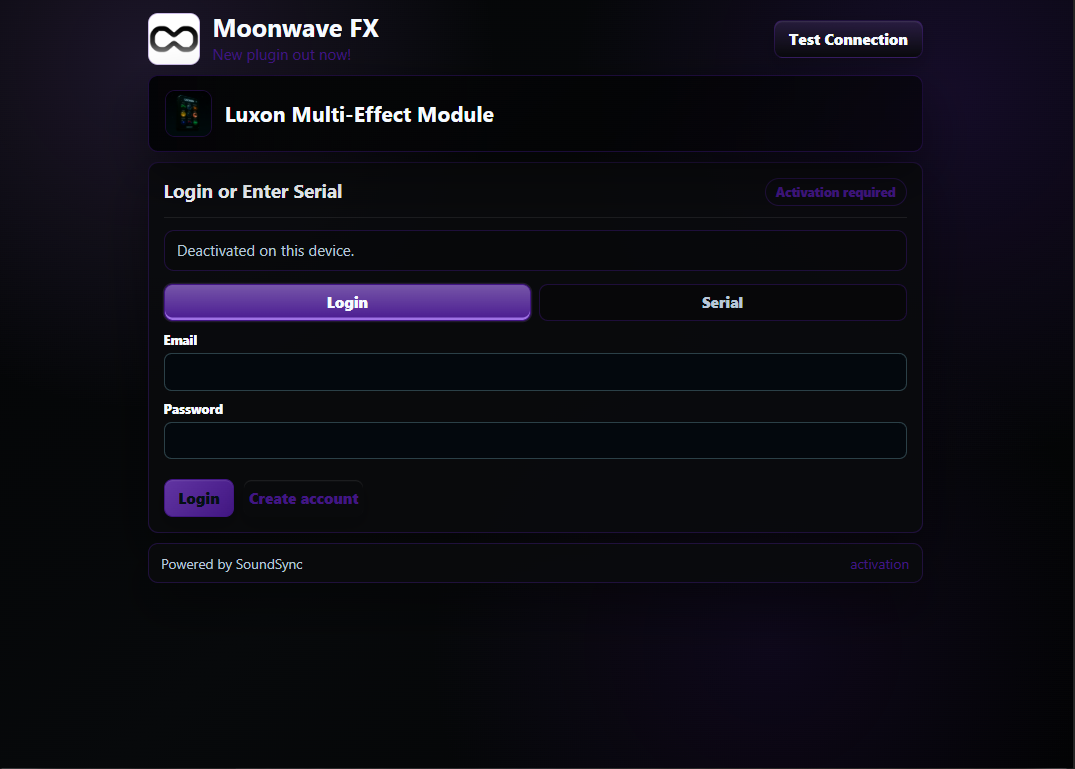
The deactivated capture is useful for support docs because it shows the customer-facing route back into activation.